See it in action

How NurturLog works, role by role.

Three different people, three different jobs to do. Here's exactly what each of them sees.

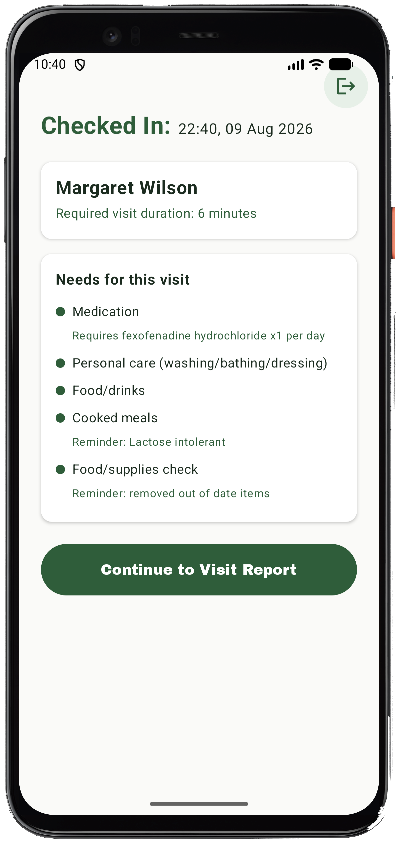
The carer app showing a patient's care needs at check-in

Carer view

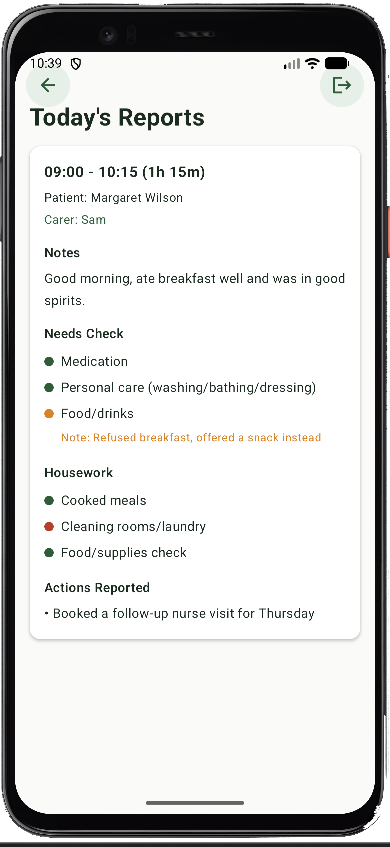
The family app showing today's visit report

Family view

For carers

Four steps, every visit.

Everything happens from the carer's phone, in the order a real visit actually unfolds.

01

Check in

The carer scans in on arrival, which pulls up the right patient automatically — no searching, no manual entry.

02

Review what this patient needs

Before doing anything else, the carer sees exactly what this visit requires — medication, personal care, meals — plus any notes specific to that patient, like allergies or preferences.

03

Complete the visit report

Each required task gets marked Done, Issue, or Not Done, with a note wherever something didn't go to plan. Nothing gets forgotten at the end of a long shift.

The report can't be submitted until close to the visit's required duration has passed — so a visit can't be logged as complete before it realistically could be.
04

Check out

Checking out timestamps the visit, notifies the family it's complete, and the carer's dashboard immediately reflects one fewer visit left today — plus a warning if any of today's other visits are now running late.
For families

Everything you'd want to know, without having to ask.

No login for the carer to remember to update — the record builds itself as visits happen.

Today's reports

See today's visit as soon as it's checked out — who came, when, how long they stayed, and what was done.

Previous reports

A full history, grouped by day, so you can look back at any past visit in seconds.

Calendar

See upcoming scheduled visits and exactly which carer is booked in for each one.

Notifications

A notification lands the moment a carer checks out, so you don't have to go looking for reassurance — it comes to you.

For admins

One dashboard, the whole agency.

Everything an admin needs to run the day-to-day and spot problems before a family has to raise them.

Dashboard

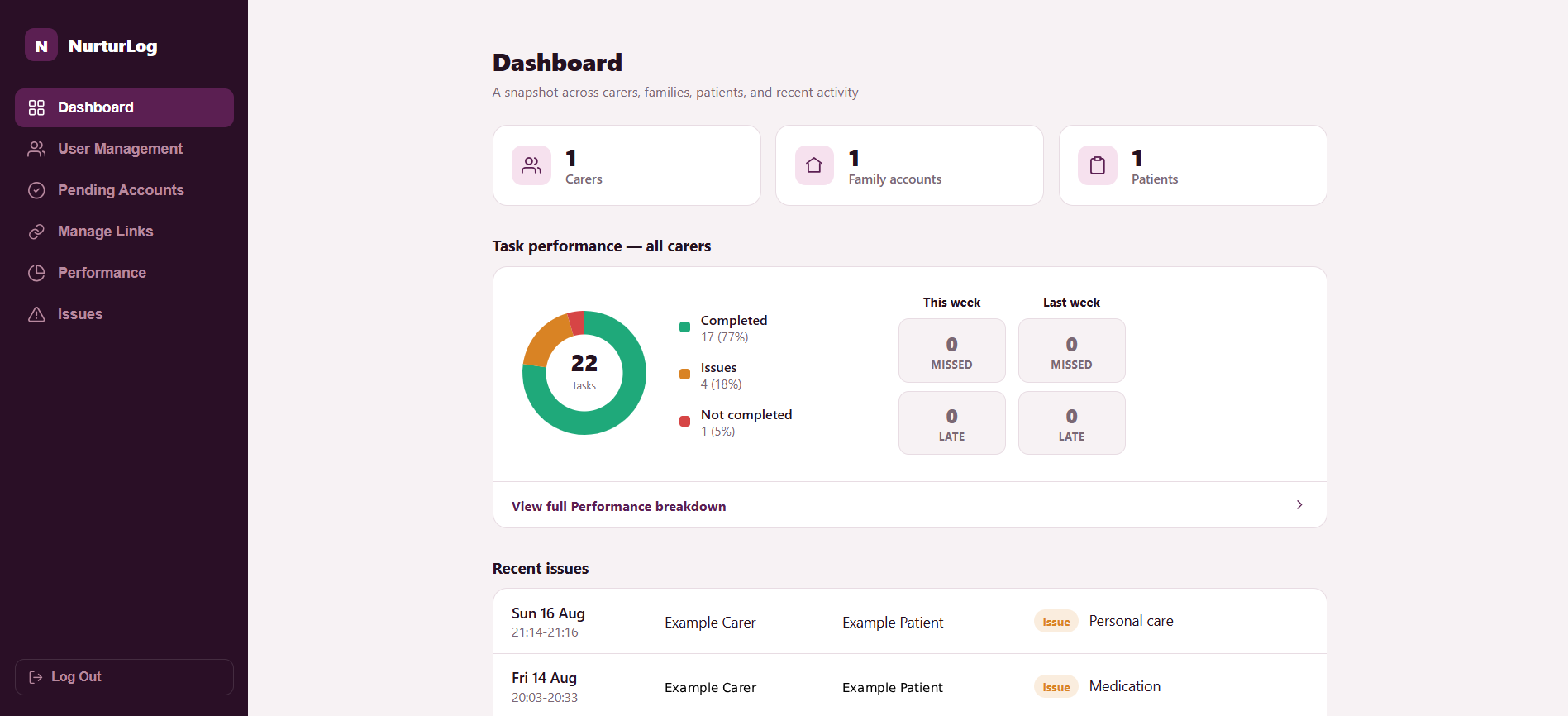
Carer, family, and patient counts, a live task-performance breakdown, and a this-week-vs-last-week view of missed and late check-ins — the kind of thing that should always read zero.

User management

Create carers, families, and patients, and link them together — which carer covers which patient, which family sees which reports.

Performance

Filter down to a single carer to see their task completion rate, check-in timeliness, and every report they've submitted, sortable and searchable.

Issues

Every task ever marked as an issue or not completed, in one place, with the carer's own note on what happened.